Unlock inspiration in color selection with shades from nature and superior design.
Choosing colors in design is an important step that ensures the work reflects reality. Therefore, Beger has developed the Beger Color Library Plug-in, which includes more than 1,232 shades for professional designers. It can be used on Photoshop, Illustrator, SketchUp, and 3ds Max.

Download

Download

Download

Download
Choose a topic you are interested in reading further.
How to use on Illustrator
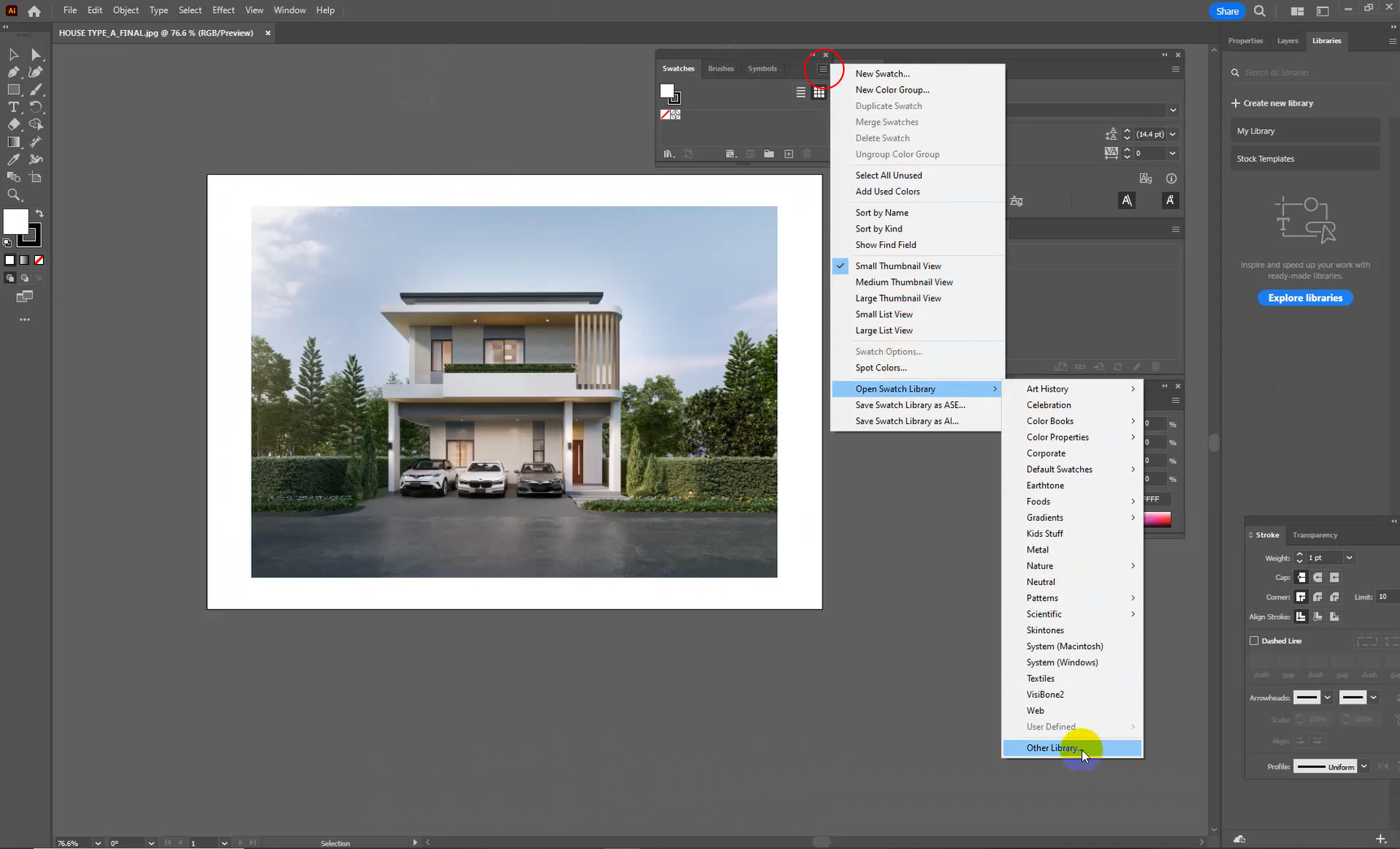
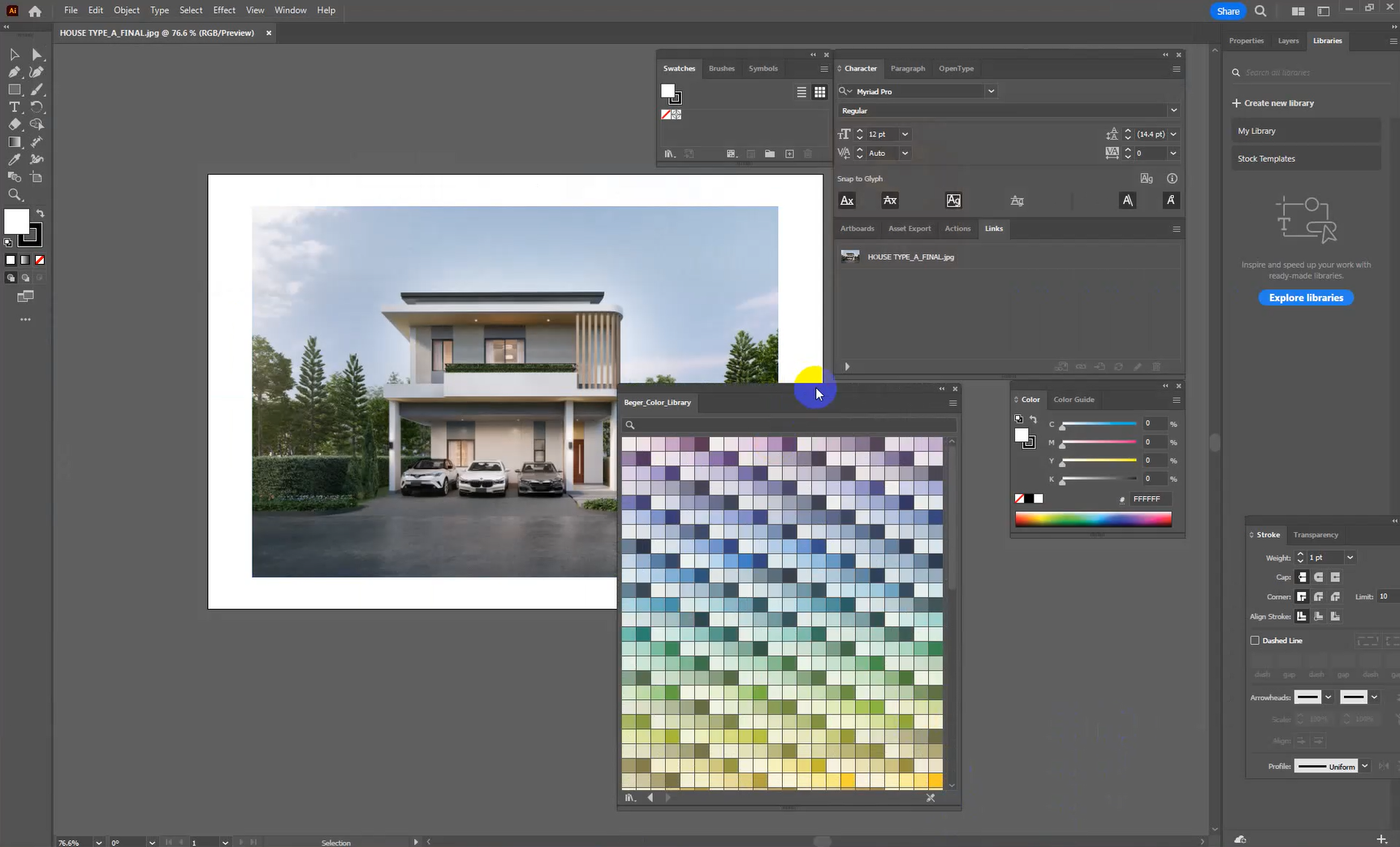
1. Open the Illustrator program, then go to Swatches. Next, click on the Open Swatch Library menu and select Other Library.
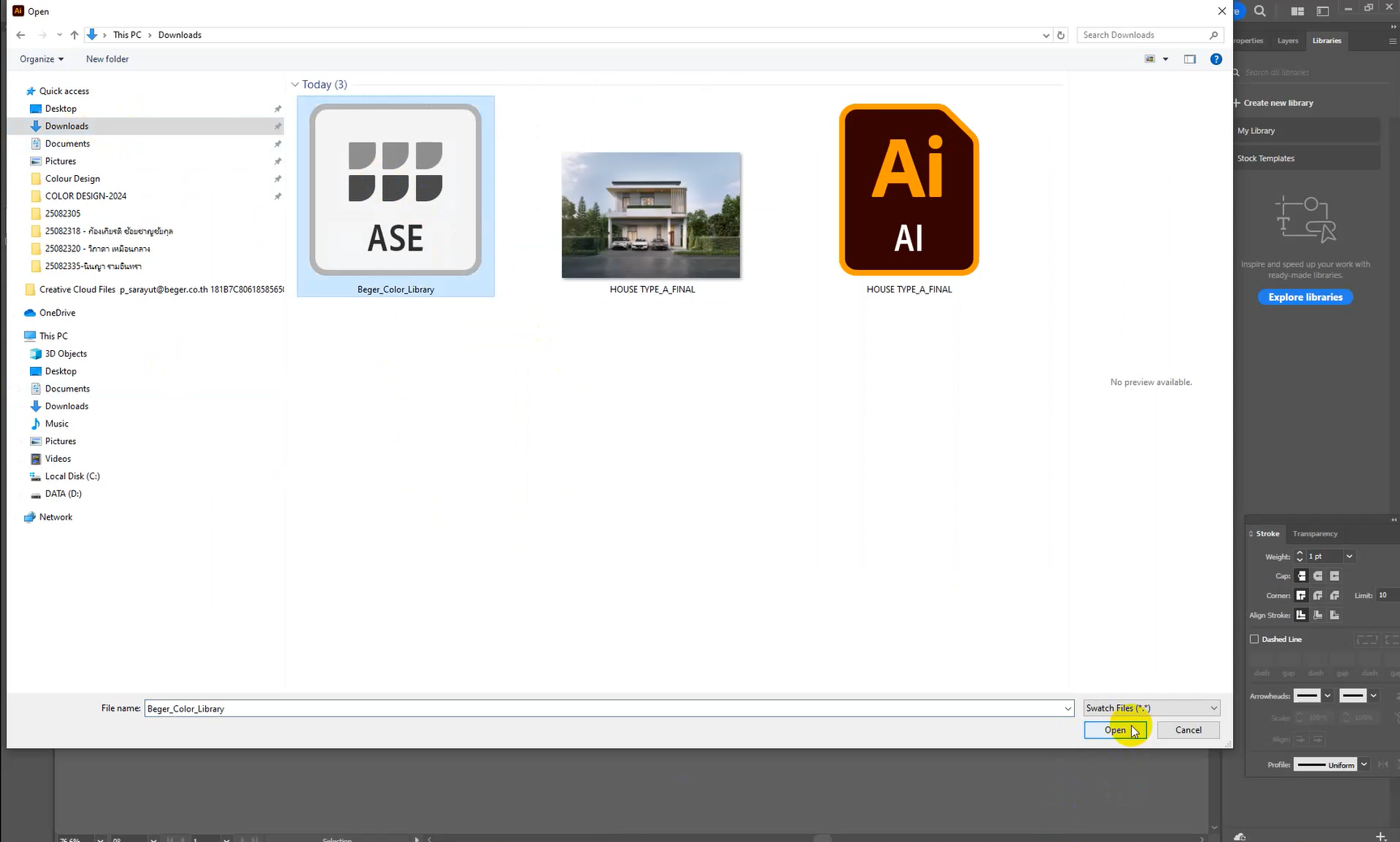
2. Select the downloaded Beger Color Library plugin file and click Open. All 1,232 shades of Beger will appear on the screen and can be used immediately.
How to use on Photoshop
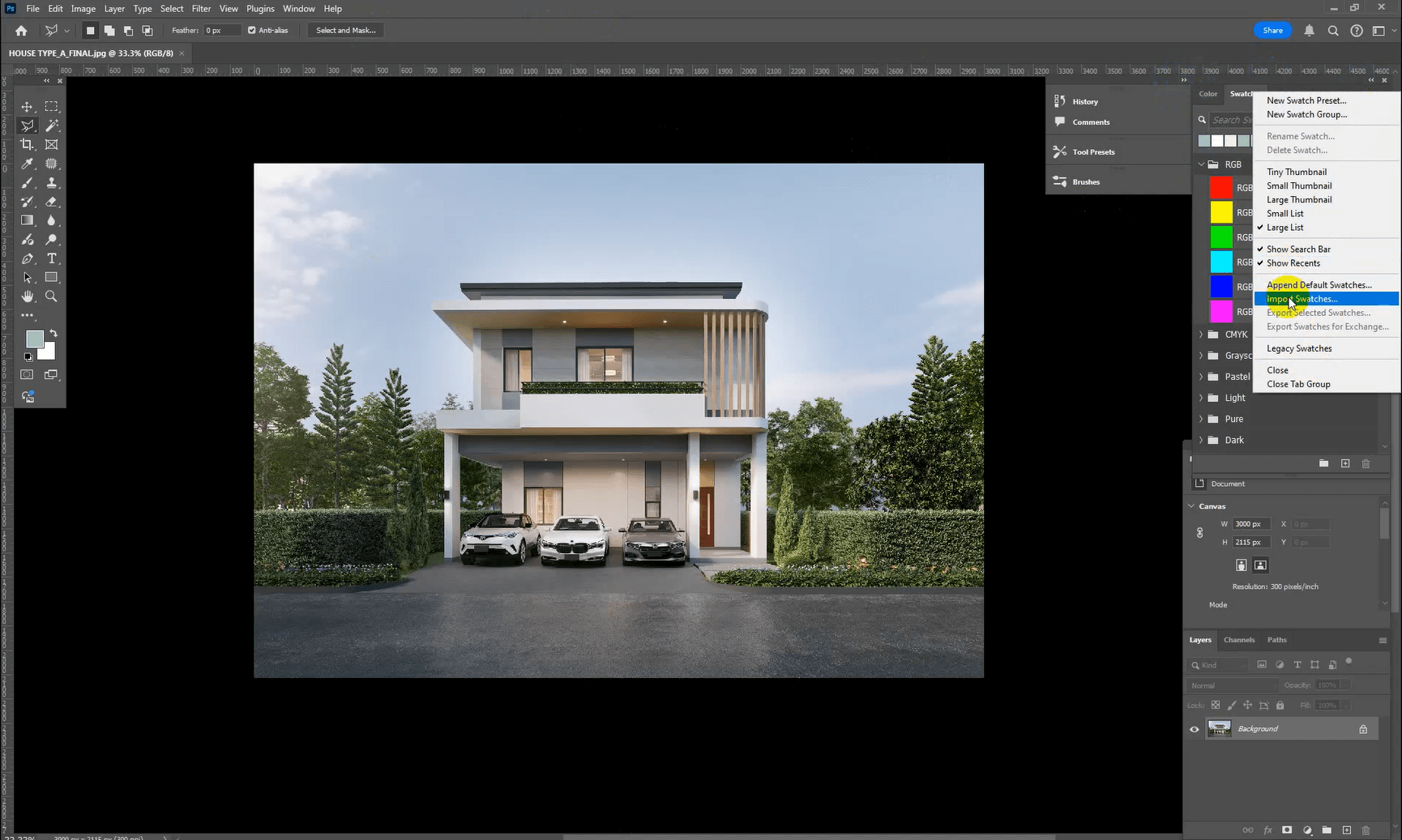
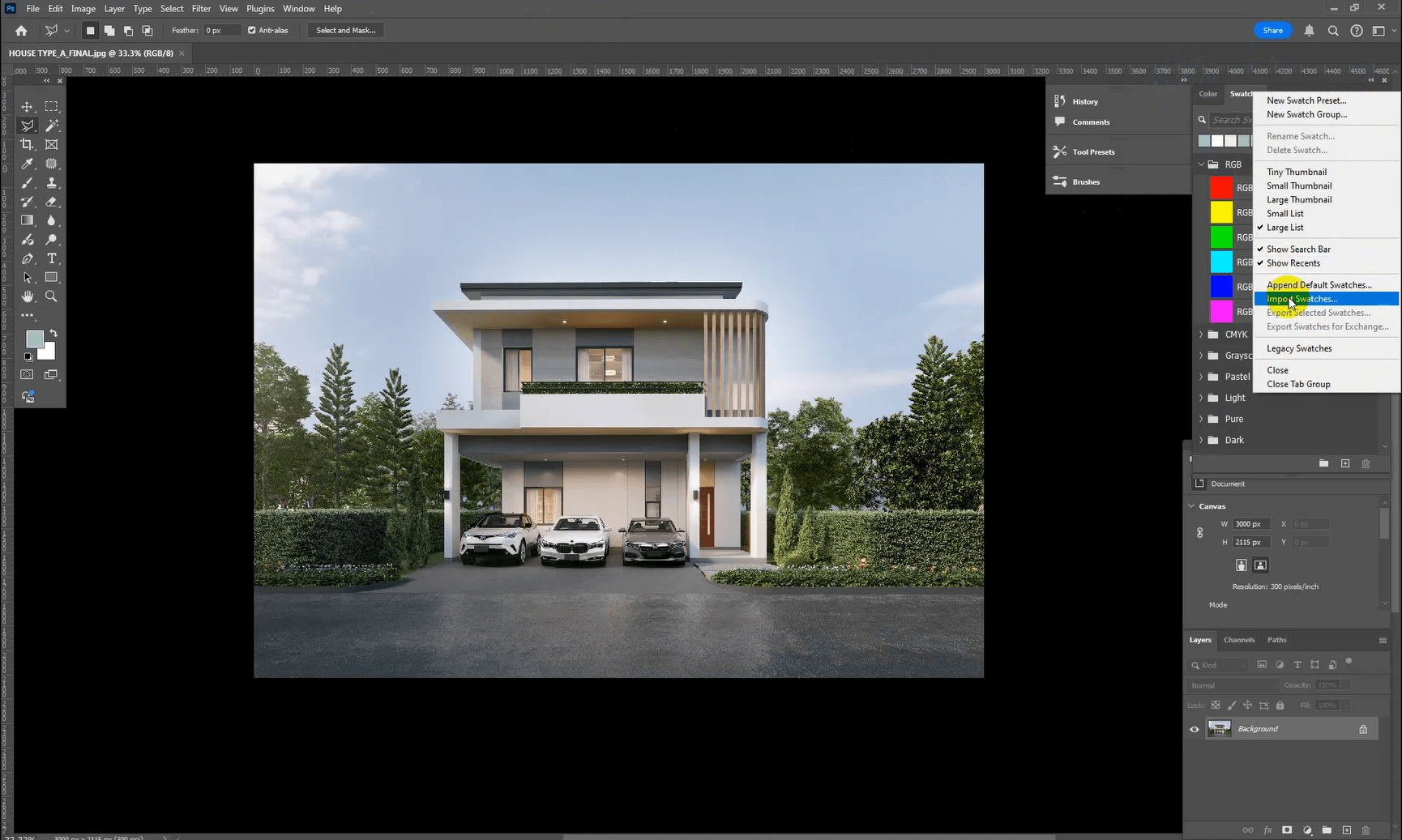
1. Open Photoshop and go to Swatches, then click on the menu (three-line icon in the upper right corner) and select Import Swatches.
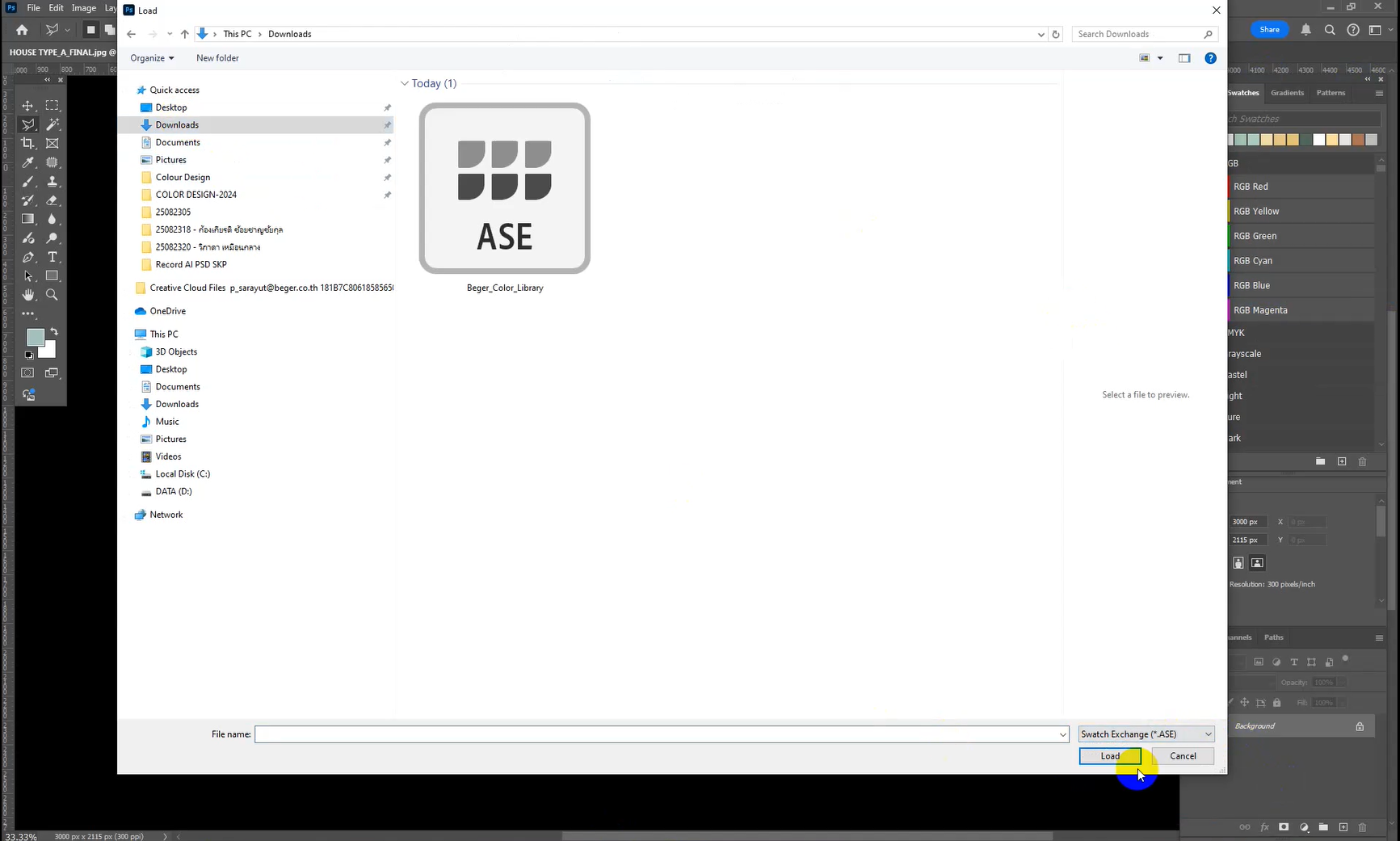
2. Select the downloaded Beger Color Library plugin file and click Load. All 1,232 shades of Beger will appear and be ready for immediate use.
How to use on SketchUp
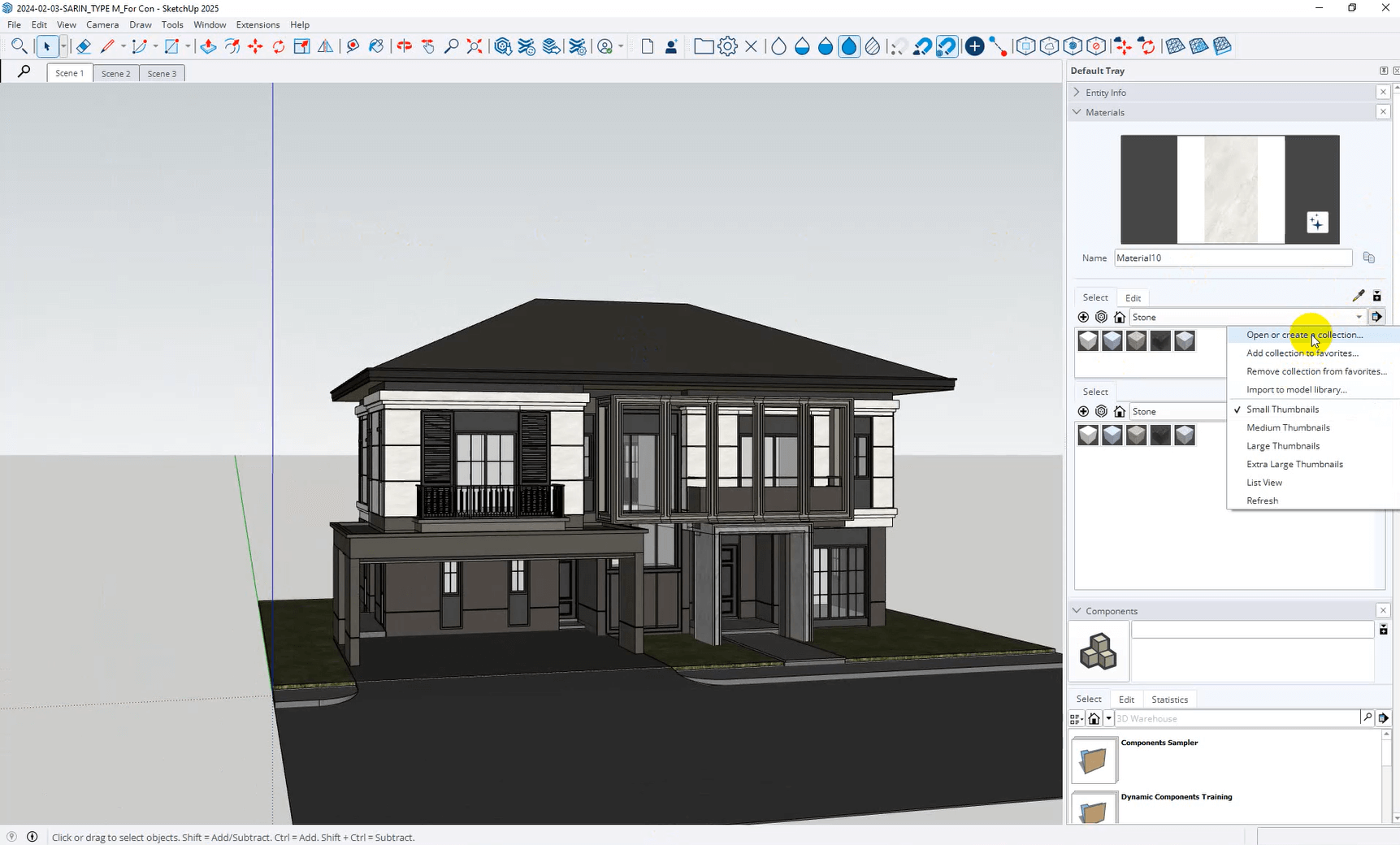
1. Open the program SketchUp Then go to Materials (On the right side of the screen) Click on Menu (small arrow) In the top right corner of the Materials panel, select the command. Open or Create a Collection
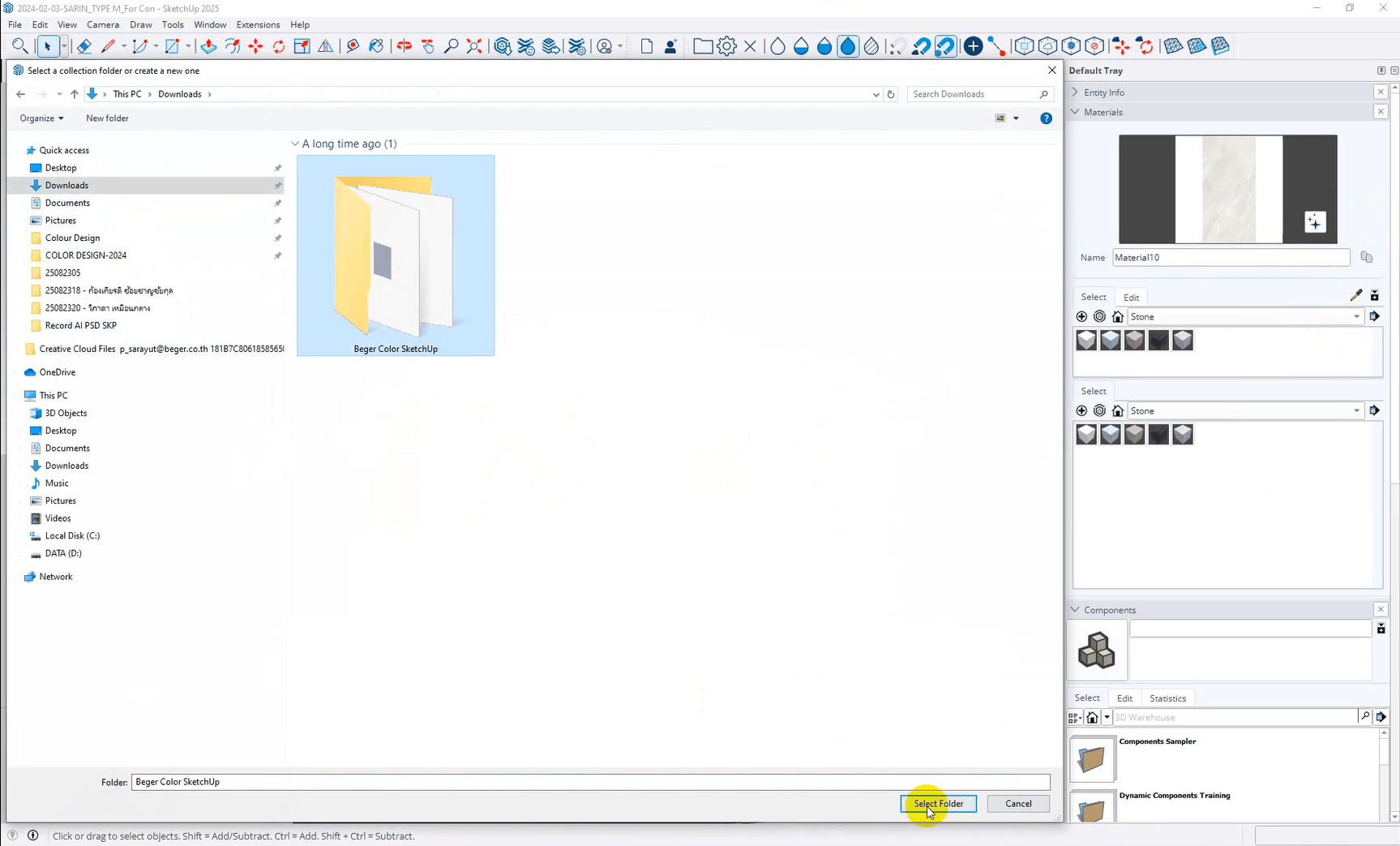
2. Select the folder that contains the plugin files. Beger Color SketchUp Download it and then press. Select Folder
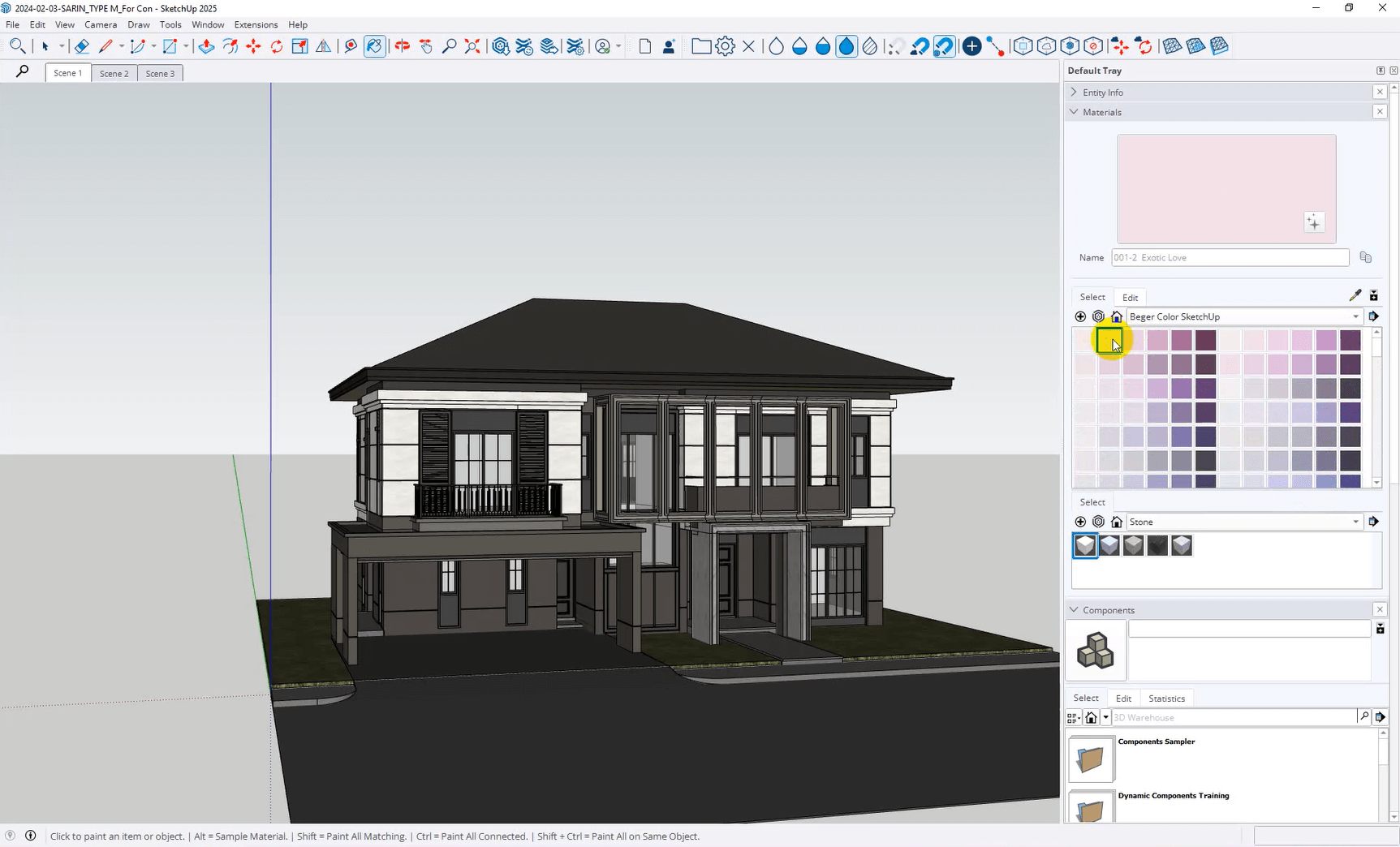
3. All shades 1,232 shades The Beger products will appear in the Materials list and can be used with the model immediately.
Step-by-Step usage tutorial video, watch it to the end and do it immediately.
Illustrator Usage Video
Video tutorial on how to use Adobe Photoshop
Video tutorial on how to use SketchUp
Video tutorial on how to use 3ds MAX
We would like to introduce Beger Material.
Unlock inspiration in color selection with shades from nature and superior design.
Beger Material Library Cool
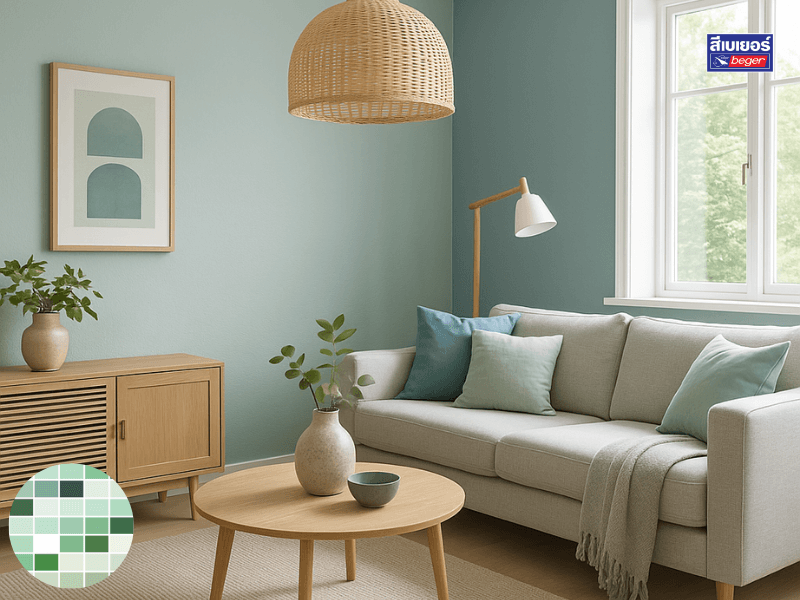
The cool tones in this group convey a sense of openness, cleanliness, and tranquility, like the cool morning breeze that sweeps through the garden in the rainy season…
Beger Material Library Warm
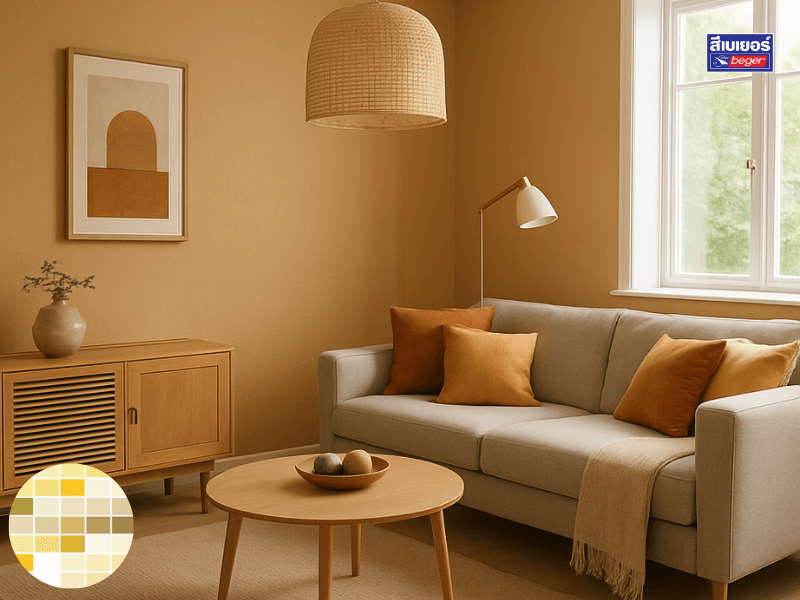
These warm shades provide a gentle touch like the evening sunlight streaming onto the walls of a house…
Beger Material Library Blue & Teal
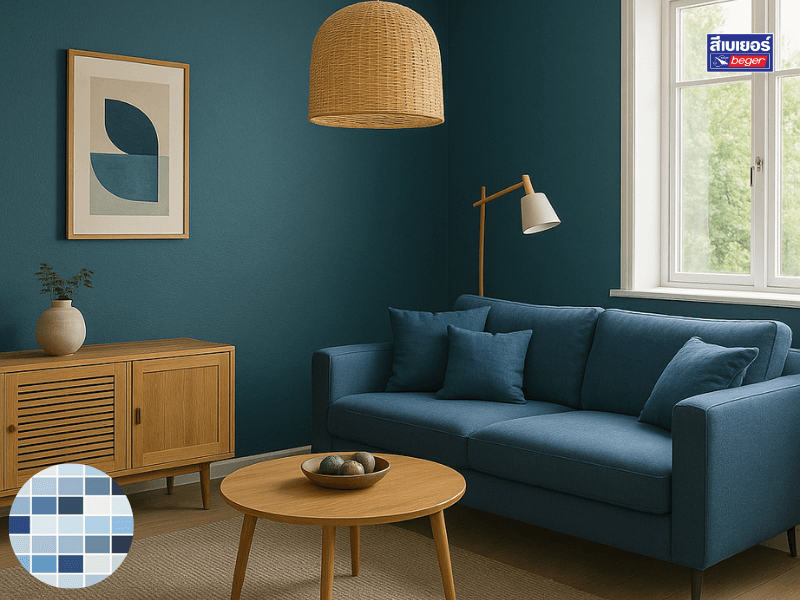
This group of blue and teal colors expresses depth, calmness, and focus…
Consult color problems for free! Get free home color design services!